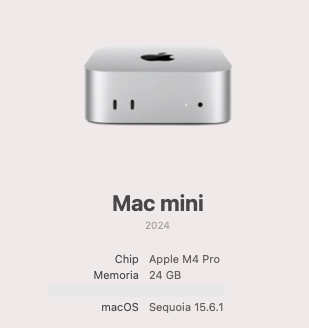
I’m trying to install ffmpeg, but I’ve encountered this issue that prevents me from activating the feature. I’m not familiar with this topic, and I’m lost. I’ve attached the specifications of my computer, and the version I’m using in mimoLive is Version 6.13 (30643).
Thank you.
Last login: Wed Sep 17 15:01:37 on ttys000
victorperalta@Mac-mini-de-Victor ~ % brew install ffmpeg
==> Fetching downloads for: ffmpeg
==> Downloading https://ghcr.io/v2/homebrew/core/ffmpeg/manifests/8.0_1
Already downloaded: /Users/victorperalta/Library/Caches/Homebrew/downloads/fb4832760e9f44479cd783432f8cbee8f750cad320fae57bc00ea85d84b693d2--ffmpeg-8.0_1.bottle_manifest.json
==> Fetching ffmpeg
==> Downloading https://ghcr.io/v2/homebrew/core/ffmpeg/blobs/sha256:e187d42e699
Already downloaded: /Users/victorperalta/Library/Caches/Homebrew/downloads/fe396b3ae8074fa89809f64e77662597763e7f9f278e78f6076c6f90c8b0d405--ffmpeg--8.0_1.arm64_sequoia.bottle.tar.gz
==> Pouring ffmpeg--8.0_1.arm64_sequoia.bottle.tar.gz
🍺  /opt/homebrew/Cellar/ffmpeg/8.0_1: 285 files, 52.9MB
==> Running `brew cleanup ffmpeg`...
Disable this behaviour by setting `HOMEBREW_NO_INSTALL_CLEANUP=1`.
Hide these hints with `HOMEBREW_NO_ENV_HINTS=1` (see `man brew`).
==> No outdated dependents to upgrade!
victorperalta@Mac-mini-de-Victor ~ %