Version 6.18 - July 2026
- New: Added focus, white balance, exposure, and other camera features exposed by macOS to the video device settings.
- New: Added a native SRT video source (beta) to be used as a listener or caller. Enable it in the Debug Preferences.
- New: Added an option to set a fixed video resolution and/or fixed frame rate in an NDI output destination.
- New: Implemented MCP for AI agents as an endpoint in the HTTP API.
- Enhancement: Updated Zoom SDK to version 7.0.0.
- Enhancement: In video sources, the device pixel resolution for certain devices showed duplicate menu entries. Now they contain more information so the user can distinguish between them.
- Enhancement: Flying Text layer: Extended the duration times for animation and display.
- Enhancement: Sports Pack Player Lower Thirds layer: Added an option to push the player image to the background.
- Enhancement: Added the option to capture the mouse cursor in the Window Capture source.
- Enhancement: Added some options for Window Capture and Screen Capture sources to the HTTP API.
- Enhancement: Made sure that the summary lines in streaming output destinations are updated according to setting changes.
- Enhancement: Displayed the buffer time used in a source in the source performance monitor.
- Fix: Fixed a bug where mimoLive would silently quit when the RTMP stream got out of sync.
- Fix: Switching on a full screen output destination would switch off all other full screen output destinations.
- Fix: FFmpeg did not display video if the remote device had a video stream but no audio stream.
- Fix: Made sure audio still plays even if the video of a Movie Player source struggles to play back all video frames.
HTTP API Improvements
- Enhancement: Added the option to set video and audio devices to “none” via HTTP API in sources as well as output destinations.
- New: Added audio channel mapping for video/audio device sources to the HTTP API.
- New: Added endpoints to the HTTP API to read detailed information about available types of sources, layers, and output destinations.
- Enhancement: Added parameters to control the mimoCall source via HTTP API, including an action to trigger a reconnect.
Download: https://cdn.boinx.com/software/mimolive/Boinx_mimoLive_6.18-30873.app.zip
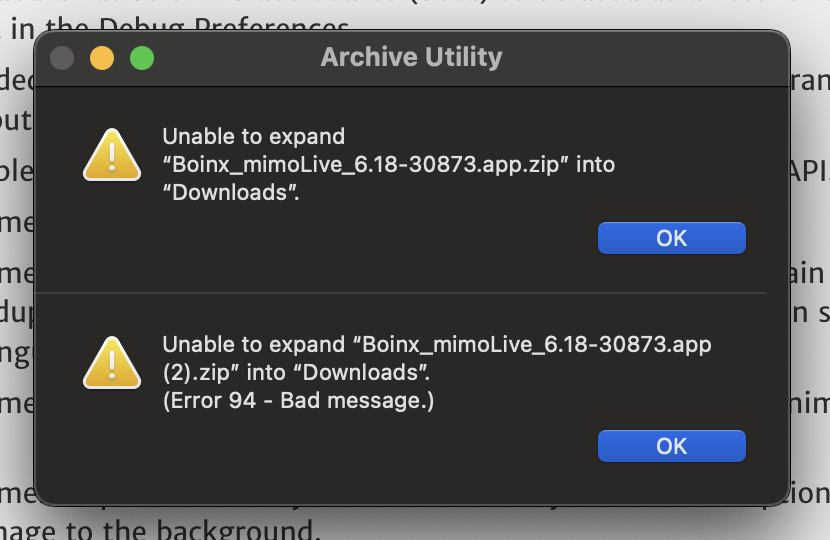
Thank you for the update! For some reason I can’t open the downloaded .zip file for this version. Tried couple of times. Never had this issue before
Hi @MulticamDude Thanks for letting us know. My apologies. The file did not get uploaded to our distribution server completely. That is now fixed. Please try again.
Thanks, now I was able to open the zip and get the new version running!
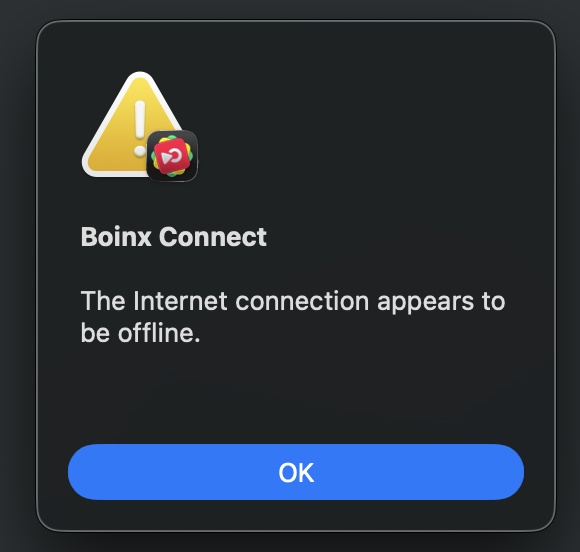
I was wondering if there are some changes in how often mimolive now tries to connect to internet with Boinx Connect? I was testing this release in offline situation, where I would only record a project without streaming and suddenly my multiview sources froze, as I have them on other screen I didn’t right away realize there was a popup on the main mimolive window
I don’t remember this happening for me before. I tested this couple of times and I can reproduce the issue so that the popup comes up after one hour of using mimolive without internet.
Hi @MulticamDude
I am very sorry that this happened. However, we did not change the behavior recently. I think that maybe your login token for Boinx Connect was about to expire and mimoLive tried to refresh it. Or are there mimoCall sources in your document?
But in any case, the multi-view shouldn’t freeze when this dialogue is on the screen. We will investigate this. Thanks for reporting.
I tried this on two Macs with 6.18, the other was running macos 15.7.7 and the other 26.5.2. and they both did the same thing.
And just to give more info about the multiview freezing, more precisely it was the sources on the multiview that froze. Program out didn’t freeze and also audio was running.
Which type of source did freeze up? And which hardware was involved if any?
The freezing happened with NDI sources initially, but when I tested it also a videofile playing added to the multiview froze too when the popup appeared.
This happened with Mac Mini M4 Pro and MacBook Pro M2.
Hey mimo team mimo live have a serious memory leak that needs to be fixed asap
im using a M2 Ultra 64gb 1Tb using macOS Tahoe Version 26.5
Hey Judah, thanks for reporting this. Can you please send me the document that causes that memory leak so we can investigate? Email to support@boeings.com.
i Just sent it, please download it asap because the link will expire
I also forgot to mention that I only started experiencing this issue after I began streaming to Kick via RTMP.
I have completed two streams to Kick so far.
During the first stream, I was also streaming to Facebook, YouTube, Twitch, TikTok, Instagram, and an additional Facebook destination. Kick was being sent through RTMP.
During that stream, I experienced severe memory lag. The system appeared to run out of memory, everything froze, and the streaming applications stopped responding.The
The following day I did stream again, but I reduced the number of platforms. I only streamed to TikTok, YouTube, Instagram, one Facebook destination, and Kick. However, I still experienced the same lag and stream dropout.
Before adding Kick through RTMP, I was not experiencing this issue. It only began after I started including Kick in my streaming setup, so I am wondering whether the Kick RTMP connection may be contributing to the increased memory usage, freezing, or dropout.
I am not sure whether this information helps with troubleshooting, but I wanted to mention it because the issue appears to be connected specifically to when I started streaming to Kick.
Hi @Judah_Peters_1747 Can you please try version 6.19b2 and let me know if this has been fixed?
https://mimolive.com/beta